Stability Generative AI Art
- 4.5
- Rating
- 1.00M
- Installs
- Free
- Price
 Analysis by App-foxy
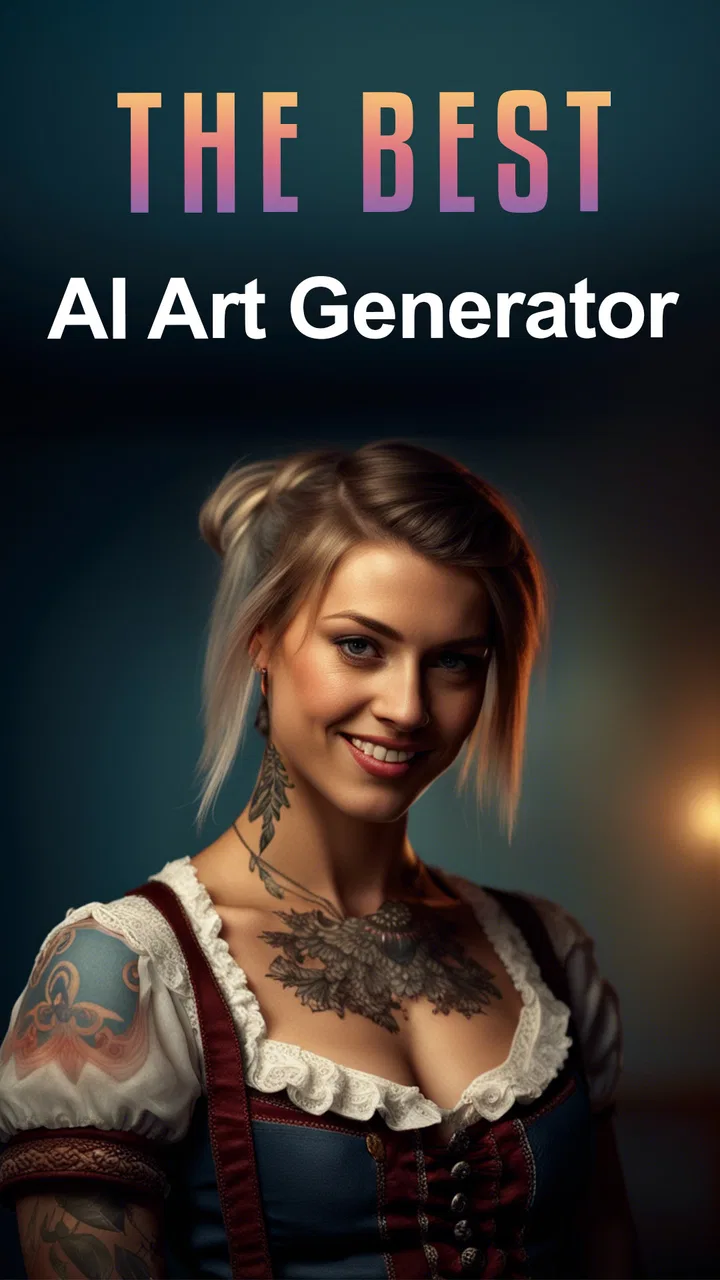
I found Stability Generative AI Art most useful as a quick idea-making tool rather than a complete digital art studio. It turns written prompts into visual concepts through AI engines associated with ChatGPT and Stability AI, and that makes it easy to move from a vague thought to something I can actually see. The experience is aimed at people who want to experiment, brainstorm, or create shareable images without learning a traditional drawing program first.
My overall impression is positive, but with an important qualification: the app is strongest when I treat the generated picture as a starting point. It can help with mood boards, character ideas, poster concepts, social posts, and visual references. It is less convincing when I need exact control over composition, consistent characters, clean lettering, or a polished final illustration that follows a detailed brief perfectly.
What it feels like to use Stability Generative AI Art
The app sits in the Art & Design category and is developed by TarrySoft. Its central appeal is simple: I describe an image in ordinary language, then let the AI interpret that description. That removes the intimidating blank canvas that often makes creative software difficult for beginners. Instead of choosing brushes, layers, or complicated settings first, I can begin with an idea.
You May Also Like

 Blood Strike: 2.5 Anniversary
Blood Strike’s Loadouts Turn Every Drop Into a Tactical Gamble
A close look at Blood Strike’s custom loadouts: how fast access to signature weapons reshapes its battle royale rhythm, rewards preparation, and narrows the gap between fights.

 Pandora - Music & Podcasts
Pandora’s Music Is Easy to Start, but Harder to Recover
Pandora’s strength is its low-effort path from a seed to a station. Its weak spot is how much confidence it asks you to place in connection, setup, and quiet recovery.

 8 Ball Pool
 Is Built on Rivalries, Rematches, and Routine
A close look at the rivalries, rematches, shared routines, and unanswered safety questions that turn a quick pool match into a persistent mobile community.

 Samsung Music
’s Quiet Strength Is Playing What You Already Own
Its reach comes less from spectacle than from dependable access to a personal library. That simplicity is both the app’s strongest retention engine and its ceiling.

 AccuWeather: Weather Radar
AccuWeather Review: A Quick, Clear Forecast for Everyday Decisions
For everyday plans, the best forecast is the one you can understand quickly. AccuWeather makes rain timing, radar, and local conditions easy to act on, with a few trade-offs.

 Hill Climb Racing
Why Hill Climb Racing Still Turns Crashes Into One More Run
A tiny car, a bumpy hill and one more upgrade: Hill Climb Racing keeps resurfacing because its simple chaos makes every near-miss feel personal.
More From Our News Desk



For a first attempt, I might describe a quiet reading corner with warm afternoon light, houseplants, and a handmade feel. The important part is not writing a perfect literary prompt. It is naming the subject, atmosphere, visual style, lighting, and intended use. Adding those details gives the generator more direction than simply asking for “a nice room.”
The most useful mindset is to treat every result as visual exploration, not guaranteed final artwork. Sometimes the first image captures the mood immediately. Other times, an attractive image misses the practical detail that mattered most. I may get an appealing scene with the wrong object, an awkward arrangement, or decorative elements that do not make sense. That unpredictability is part of generative art, and this app makes it accessible rather than eliminating it.
The store presents it as a free app for everyone, with a minimum operating-system requirement of Android 6.0. Its current version is 1.4.4, and the app has built a sizeable audience, with over one million installs and an average rating of 4.3 from around ten thousand ratings. Those figures suggest that it has found a practical place among casual creative tools, although popularity should not be confused with professional-level control.
Why the prompt matters more than most beginners expect
My best results came from writing prompts in layers. I started with the main subject, then added the setting, lighting, color mood, artistic direction, and framing. For example, a prompt for a café poster becomes more useful when it specifies a cozy independent café, a rainy evening outside, muted green and amber tones, a hand-painted editorial look, and empty space near the top for later text.
That last detail reveals one of the app’s practical limits. AI image tools often create attractive lettering unreliably, so I would not depend on the generator for a finished event title or menu. I would use the image as a background and add the actual wording in a separate design app. This two-step workflow is more dependable than repeatedly asking the generator to spell a long phrase correctly.
A second useful technique is to generate concepts before deciding what I want. When I am unsure whether a project should feel playful, elegant, dramatic, or minimal, several prompt variations can quickly expose the strongest direction. I can then refine the chosen mood instead of trying to invent a complete visual identity from nothing.
Where the two AI approaches add interest
The reference to ChatGPT and Stability AI points to a combination of conversational prompting and image generation. In practice, that makes the app appealing to users who prefer describing an idea naturally instead of learning specialized prompt syntax. I can begin with a rough sentence, notice what the output emphasizes, and then make the next request more specific.
This conversational approach is particularly helpful for beginners who do not yet know how to describe camera angles, composition, or artistic references. I can ask myself practical questions while refining an idea: should the subject be close up, should the background be calm, should the colors be bright, and where will the image be used? Turning those questions into prompt changes is more productive than blindly pressing generate.
There is also a trade-off. Natural language feels friendly, but it can encourage vague requests. If I write a long paragraph containing several competing ideas, the result may combine them in a messy way. A shorter prompt with a clear priority usually works better. I prefer to decide what must appear first, then add only the details that support it.
A realistic everyday workflow
Imagine I am preparing a small birthday invitation for a friend. I do not need a complete illustration from scratch, but I want a background that feels personal rather than generic. I could ask for a cheerful table with colorful paper decorations, soft daylight, a relaxed handmade style, and open space in the center. After reviewing the result, I might try a second version with fewer objects and a calmer palette.
Once I find a suitable image, I would move it into a separate layout tool to add the date, location, and readable typography. This workflow saves time during the visual brainstorming stage while avoiding the app’s weaker area: precise graphic design. It is also a good example of where the app earns its place. I am not asking it to replace every creative tool; I am using it to produce a visual foundation quickly.
The same method works for a presentation cover, a phone wallpaper, a social-media concept, or a personal writing project. For a small business owner, it can help explore packaging moods or seasonal campaign ideas before paying for custom artwork. For a student, it can provide visual references for a project, provided the generated image is used responsibly and not presented as hand-created work when that distinction matters.
Strengths that become clear after repeated use
The biggest strength is accessibility. Traditional illustration software rewards patience and technical knowledge, while this app lets me begin with language. That makes it approachable for someone who has never used layers, vector tools, or digital brushes. The free entry point also makes experimentation less intimidating, though optional purchases are available from $0.99 to $99.99 per item.
Speed is another advantage. Even when I do not keep the first result, it helps me compare directions quickly. I can test a realistic treatment against a watercolor-inspired one, or a dark cinematic mood against a bright editorial look, without manually rebuilding the scene each time. This is especially valuable during the early stage of a project, when the main problem is choosing an idea rather than finishing it.
The app is also useful for people who struggle to visualize written concepts. A novelist may want to explore the atmosphere of a fictional location. A tabletop gaming group may want a rough character portrait. Someone planning a room makeover may want to compare color moods. None of these uses requires the image to be technically perfect; the benefit comes from making an abstract idea easier to discuss.
Another strength is its suitability for quick iteration. I can keep the successful parts of a prompt while changing one variable at a time. If the subject is right but the mood is wrong, I can adjust the lighting and palette instead of starting with an entirely unrelated description. This is a more disciplined approach than constantly writing new prompts with no clear comparison.
The limitations I would take seriously
The app cannot give me the same control as a conventional drawing or design application. If I need an exact layout, a specific brand color, a repeatable character, or a carefully edited object, I would choose a tool built around manual control. Generative AI is good at plausible visual interpretation, but plausible is not the same as precise.
Small details can also become the deciding factor. Hands, faces, tiny objects, and written signs may look acceptable at a glance but fail when I inspect them closely. A composition can be beautiful while still containing an unusable detail. That means I need to review each image rather than assuming an attractive preview is ready for publication.
Consistency is another concern for multi-image projects. If I am creating a sequence of illustrations with the same character, outfit, or location, each generation may interpret those elements differently. The app is better suited to individual concepts than to a long visual series requiring strict continuity. I can use it for brainstorming a series, but I would not rely on it alone to maintain a coherent cast or visual system.
The free label also deserves a careful reading. The app can be installed without an upfront purchase, but in-app purchases range from small amounts to much larger individual items. I would check the purchase screen carefully before confirming anything, especially if I am letting a child explore the app. The Everyone content rating makes it broadly accessible, but age suitability does not remove the need for sensible supervision around purchases and generated content.
There is a creative limitation too: AI-generated images can make a project look polished before the underlying idea is properly resolved. I sometimes found myself choosing the most attractive result rather than the image that best served the original purpose. For design work, that is a real trap. A visually impressive background can still make text unreadable or distract from the subject.
How I would get better results without overcomplicating things
I recommend starting with one clear subject and one clear mood. A prompt that asks for a robot, a garden, a city skyline, three art styles, several moods, and a specific text treatment gives the generator too many priorities. I would make the first request simple, then refine the result based on what is missing.
It helps to describe the intended framing. Words such as close portrait, wide scene, centered subject, overhead view, or generous empty space can make the output more useful for a later project. These instructions are not magic commands, but they communicate how I plan to use the image rather than merely what objects I want included.
I also prefer to separate visual instructions from wording instructions. If I need a poster, I ask for the artwork and leave a clean area for text. Then I add the real copy elsewhere. This avoids wasting attempts on lettering that may look decorative but is not reliable enough for an invitation, advertisement, or announcement.
For a more controlled process, I save the exact prompt that produced a promising result and change only one or two details in the next attempt. That gives me a simple comparison method. If I change the subject, style, lighting, and composition simultaneously, I cannot tell which adjustment helped. The app becomes much more useful when I approach it like a visual experiment rather than a slot machine.
I would also decide the final destination before generating many images. A phone wallpaper, a square social post, a presentation cover, and a printable card all need different compositions. If I know the image will sit behind text, I ask for breathing room. If it will be viewed as a standalone picture, I can allow the subject to fill more of the frame.
Who should use it, and who should choose something else?
I think it is a good fit for curious beginners, hobby artists, writers, students, content creators, and anyone who needs quick visual references. It is especially valuable when the difficult part is getting started. A person with an idea but no drawing skills can produce several directions, compare them, and communicate a mood to a human designer or to a separate editing tool.
It also suits casual users who want creative results without committing to a complicated desktop workflow. The Everyone rating and Android 6.0 compatibility make it accessible across a broad range of devices, while the free installation gives people a low-risk way to try the concept before deciding whether optional purchases are worthwhile.
I would skip it as a primary tool if I need professional illustration control, exact typography, dependable brand consistency, or detailed retouching. A conventional drawing app is better for someone who wants to build every mark manually. A layout-focused app is better for invitations, marketing materials, and documents where spacing and text accuracy matter. A photo editor is better when the starting point is a real photograph rather than a generated concept.
I would also be cautious about using generated images for sensitive or high-stakes communication. If an image represents a real person, a medical idea, a news-related subject, or an important factual scene, visual plausibility is not enough. The app is most comfortable in imaginative, exploratory, and decorative work where I can review the result critically.
How it compares with familiar alternatives
Compared with a standard drawing app, Stability Generative AI Art is faster at producing a complete scene but weaker at manual precision. A drawing app asks me to build the image step by step, which takes longer but gives me control over every line, color, and layer. This AI tool is the better first stop when I want options quickly; the drawing app is the better finishing environment when accuracy matters.
Compared with a template-based design app, it offers more freedom at the idea stage. Templates are excellent when I need a proven layout, readable text, and predictable spacing. This generator is more useful when I want an unusual visual that does not already exist in a template library. In many cases, I would use both: generate a background or concept here, then assemble the final communication in the template app.
Compared with a photo editor, the difference is even clearer. Photo editing begins with an existing image and improves or transforms it. This app begins with a description and invents a visual interpretation. If I already have the right photograph, editing is more efficient. If I have only an idea, generation is more convenient.
That comparison leads to my clearest recommendation: do not ask this app to replace every tool in your creative workflow. Use it for ideation, visual exploration, and rough assets, then move to a more controlled application when the project requires exact finishing. Its value increases when it is treated as one focused stage rather than an all-purpose studio.
My final recommendation
After using it as an idea generator, I see Stability Generative AI Art as a friendly and practical introduction to AI-assisted image creation. TarrySoft has positioned it for broad access, and the combination of natural-language prompting with Stability AI imagery makes experimentation feel less technical than traditional art software. The app’s strongest contribution is not that it produces perfect pictures every time; it is that it helps me discover visual directions quickly.
I would recommend the free app to anyone who wants to turn a sentence into a visual concept, especially for personal projects, mood boards, creative brainstorming, and decorative images. I would keep expectations realistic around lettering, tiny details, repeated characters, and exact layouts. Those weaknesses are manageable if I plan to edit the result elsewhere.
With its 4.3 average and more than one million installs, it has clearly attracted a substantial audience, but my recommendation is based more on the workflow than on those figures. Choose it when speed and imagination matter more than pixel-level control. If that matches what you need, it is an enjoyable way to get past the blank page. If your project demands exact design rules or a fully finished illustration, I would use it only for the first stage and rely on a more precise creative tool for the rest.
For me, that makes Stability Generative AI Art worthwhile as a companion to—not a replacement for—drawing, layout, and photo-editing apps. It earns a place on my device because it turns uncertain ideas into something I can evaluate, revise, and build upon. Just remember to inspect every result, keep important text outside the generated image, and watch the purchase choices when exploring beyond the free experience.
FAQs for Stability Generative AI Art
01What platforms is Stability Generative AI Art available on?
Stability Generative AI Art is available for both Android and iOS devices. You can download it from the Google Play Store for Android and the App Store for iOS. It's designed to run smoothly on most modern smartphones and tablets, ensuring a seamless user experience across different devices.
02How does Stability Generative AI Art work?
Stability Generative AI Art utilizes advanced AI algorithms to create unique artworks. By inputting your preferences or using existing templates, the app generates stunning visuals based on machine learning models. It's user-friendly and doesn't require any prior art or programming skills, making it accessible to everyone.
03Is Stability Generative AI Art free to use?
The app offers a free version with basic features, allowing users to explore its core functionalities. However, premium features, such as advanced templates and customization options, may require in-app purchases or a subscription. The pricing is competitive, and users can choose based on their artistic needs.
04Are there any privacy concerns with using Stability Generative AI Art?
Stability Generative AI Art is committed to user privacy. The app only requires permissions necessary for its functionality, such as access to your device's storage for saving artworks. It adheres to strict privacy policies to ensure that user data is protected and not shared with third parties without consent.
05What kind of support is available for users of Stability Generative AI Art?
The app provides comprehensive support through a dedicated help center accessible within the app. Users can find tutorials, FAQs, and troubleshooting guides. Additionally, customer support is available via email for more personalized assistance, ensuring that users have a smooth experience with the app.
Pros
- Intuitive interface for easy navigation.
- Wide variety of art styles available.
- Fast processing and generation time.
- Supports high-resolution outputs.
- Regular updates with new features.
Cons
- Limited customization for advanced users.
- Occasional bugs in generated art.
- Requires internet for full functionality.
- Subscription needed for premium features.
- Might drain battery quickly on older devices.

Stability Generative AI Art
Gallery